How to independently check the battery health of a used smartphone: expert advice
Buying a used smartphone requires a careful check of the battery, as it is the most vulnerable component of the device.
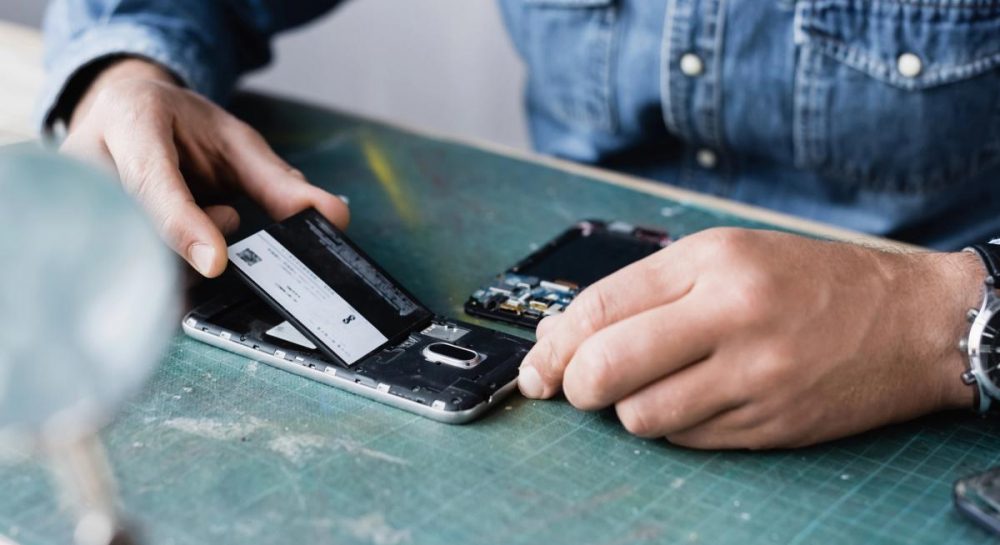 💡Tech
Photo: UNIAN
Key points
- Visual inspection for repair traces
- Checking parts history in settings
- Risks of using non-genuine batteries
Purchasing a pre-owned mobile device can save money, but buyers often risk getting a gadget with a worn-out battery. Experts emphasize that battery health directly affects system stability and the overall reliability of the smartphone.
What to look for during a visual inspection
Before handing over any money, it is worth carefully inspecting the housing for indirect signs of tampering. Poor display fit, uneven gaps, or screwdriver marks on the bottom screws may indicate unprofessional repairs. Genuine parts always feature the manufacturer's official markings.
Software diagnostics of battery health
Modern operating systems allow users to access device service history. iPhone users should check the "Parts and Service History" section in settings, which displays data on component replacements. Similar diagnostic tools are available on Samsung and Google Pixel smartphones.
Installing cheap third-party batteries can lead to overheating, rapid discharge, and sudden device shutdowns under load.
If the seller claims the battery has been replaced, always ask for supporting documents from the service center. Officially refurbished smartphones are usually equipped with new, genuine batteries, making them a safer choice for the buyer.
Source UNIAN — unian.ua/techno/gadgets/yak-pereviriti-akumulyator-u-vzhivanomu-tel… ↗
Read next
 🛡️Security
Russian corvette 'Merkury' in Libya: potential maritime drone attack
An explosion occurred on the Russian warship 'Merkury' in the Libyan port of Benghazi. According to international media, the incident may have been caused by an attack fr…
 🛡️Security
Russia tests NATO defense algorithms through airspace violations
Military experts point to systematic attempts by the Russian Federation to test the Alliance's reaction speed by flying missiles and drones into neighboring territories.
 🏛️Politics
Global warming: Scientists discover activity of ancient bacteria in permafrost
Researchers from the University of Colorado have found that microorganisms frozen for 40,000 years can resume activity when temperatures rise.
 🎭Culture & Sport
Ukrainian farmer grows a giant 350-kilogram pumpkin
A resident of the Cherkasy region has grown a record-breaking pumpkin and shared it with the local community for free.
 🇺🇦Ukraine
US Director of National Intelligence: Putin is not America's friend regarding Ukraine
Jay Clayton clarified that despite diplomatic rhetoric, the US intelligence community views Russia's actions in Ukraine as fundamentally hostile.
 🏙️City
Tragedy in Dymer: death toll from Russian attack rises to eight
Rescue teams continue clearing debris in Dymer, Kyiv region, where eight people have been confirmed dead following a Russian strike.